# Opportunity Boards

Create your individual boards that can organise & aggregate opportunities based on various filters - be on top of the opportunities that your team is responsible for

<figure><img src="https://2986926806-files.gitbook.io/~/files/v0/b/gitbook-x-prod.appspot.com/o/spaces%2FUBzWA2LkfjbdaffIaGlN%2Fuploads%2FHoj1hU6QlH0Bw8y17hEj%2FScreenshot%202025-09-16%20at%202.23.41%E2%80%AFPM.png?alt=media&#x26;token=5abca2d0-c908-4649-9b54-5a8c8cfe7d8c" alt=""><figcaption></figcaption></figure>

### Creating a new board

1. Click on the current board at the top of the page ⇒ Create board

<figure><img src="https://2986926806-files.gitbook.io/~/files/v0/b/gitbook-x-prod.appspot.com/o/spaces%2FUBzWA2LkfjbdaffIaGlN%2Fuploads%2FWhTvudrAkyeQru0JHgn9%2FScreenshot%202025-09-16%20at%202.25.51%E2%80%AFPM.png?alt=media&#x26;token=23ea5571-c489-47c0-887f-81ef6640c456" alt=""><figcaption></figcaption></figure>

2. Give your new board a name
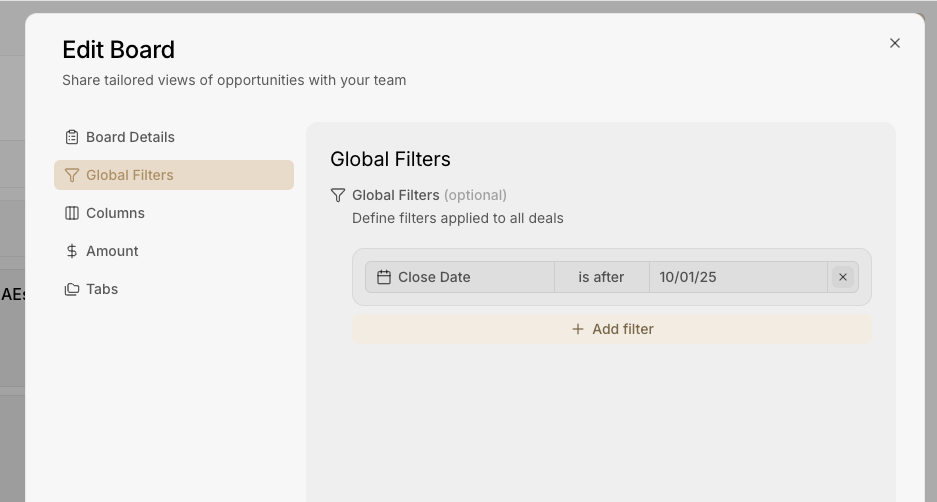
3. Apply global filters when you want to view only a certain type of opportunities. Example - view opportunities which have a close date for next quarter

<figure><img src="https://2986926806-files.gitbook.io/~/files/v0/b/gitbook-x-prod.appspot.com/o/spaces%2FUBzWA2LkfjbdaffIaGlN%2Fuploads%2FilN77xyd6niQNV2kHvp0%2FScreenshot%202025-09-16%20at%202.28.32%E2%80%AFPM.png?alt=media&#x26;token=1d6d1074-f849-4561-8bc5-83c97acb51b6" alt="" width="563"><figcaption></figcaption></figure>

4. Choose the columns you want in the table view and the column you want to use for aggregating total amount of the pipeline
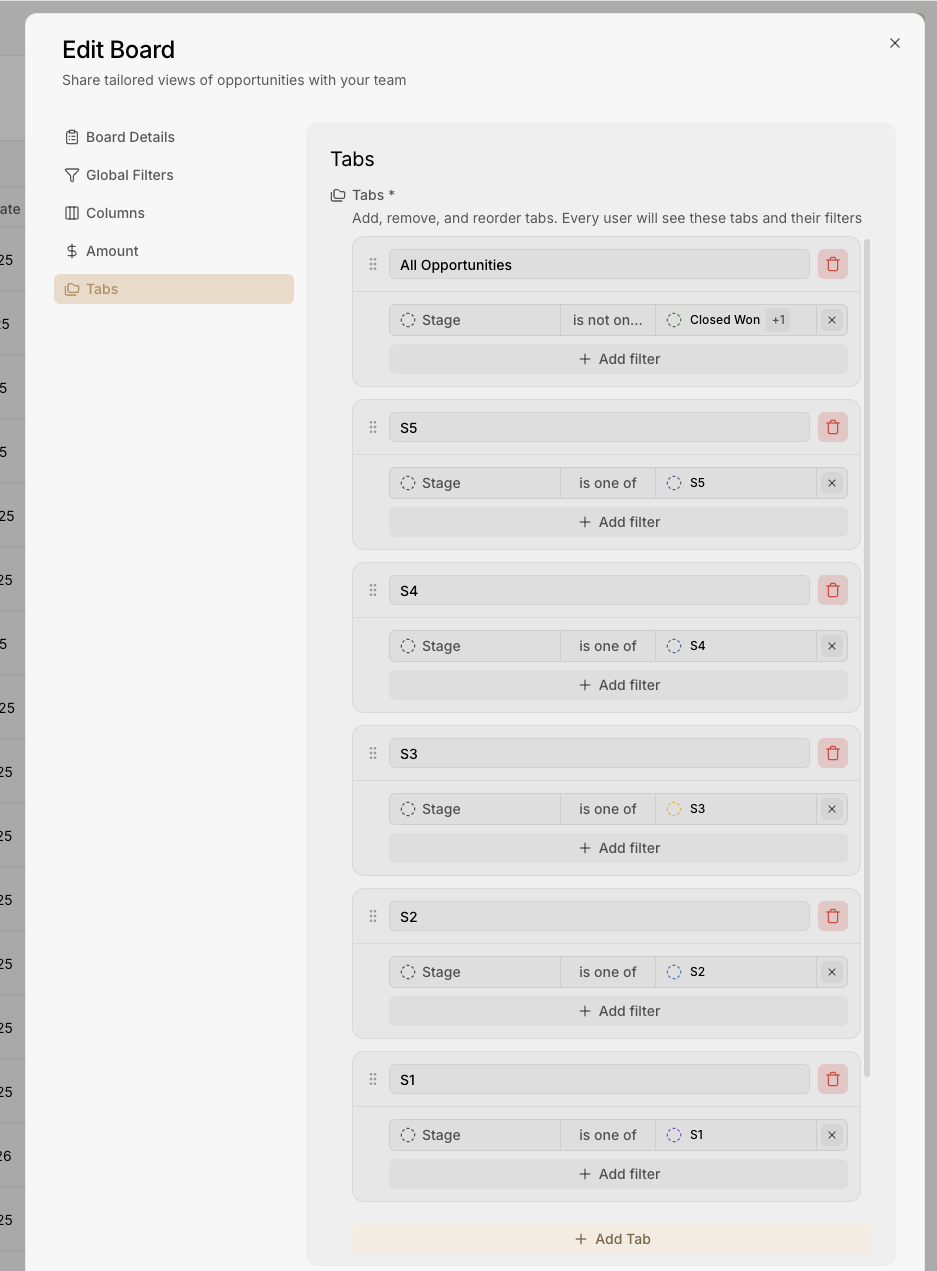
5. Create various tabs for your board and add filters


<figure><img src="https://2986926806-files.gitbook.io/~/files/v0/b/gitbook-x-prod.appspot.com/o/spaces%2FUBzWA2LkfjbdaffIaGlN%2Fuploads%2Fh0UM2k9e95QhL6MqJd8s%2FScreenshot%202025-09-16%20at%202.32.38%E2%80%AFPM.png?alt=media&#x26;token=6aa23d48-a8cd-478d-8ce2-a60fbb51f3ef" alt="" width="563"><figcaption></figcaption></figure>