# Opportunity Management

Sellers can create opportunities from existing accounts in Rox and add critical information to keep their team in sync

<figure><img src="https://2986926806-files.gitbook.io/~/files/v0/b/gitbook-x-prod.appspot.com/o/spaces%2FUBzWA2LkfjbdaffIaGlN%2Fuploads%2FjB3XdluT6zydAQgG3q9M%2FScreenshot%202025-09-16%20at%202.00.17%E2%80%AFPM.png?alt=media&#x26;token=53c09932-dbbb-47c9-8feb-66bb7b3339d2" alt=""><figcaption></figcaption></figure>

### Creating an opportunity

<figure><img src="https://2986926806-files.gitbook.io/~/files/v0/b/gitbook-x-prod.appspot.com/o/spaces%2FUBzWA2LkfjbdaffIaGlN%2Fuploads%2FGHIFkVeWN4ccs0libgt4%2FScreenshot%202025-09-16%20at%202.07.08%E2%80%AFPM.png?alt=media&#x26;token=68f14fda-6d42-42fb-9a70-9854e9ddef19" alt="" width="312"><figcaption></figcaption></figure>

1. Click on the **New Opportunity** button on the top right of the Opportunity board.
2. Select the account for which the opportunity is for and fill out the remaining fields
3. Click on **Create**

### View activity

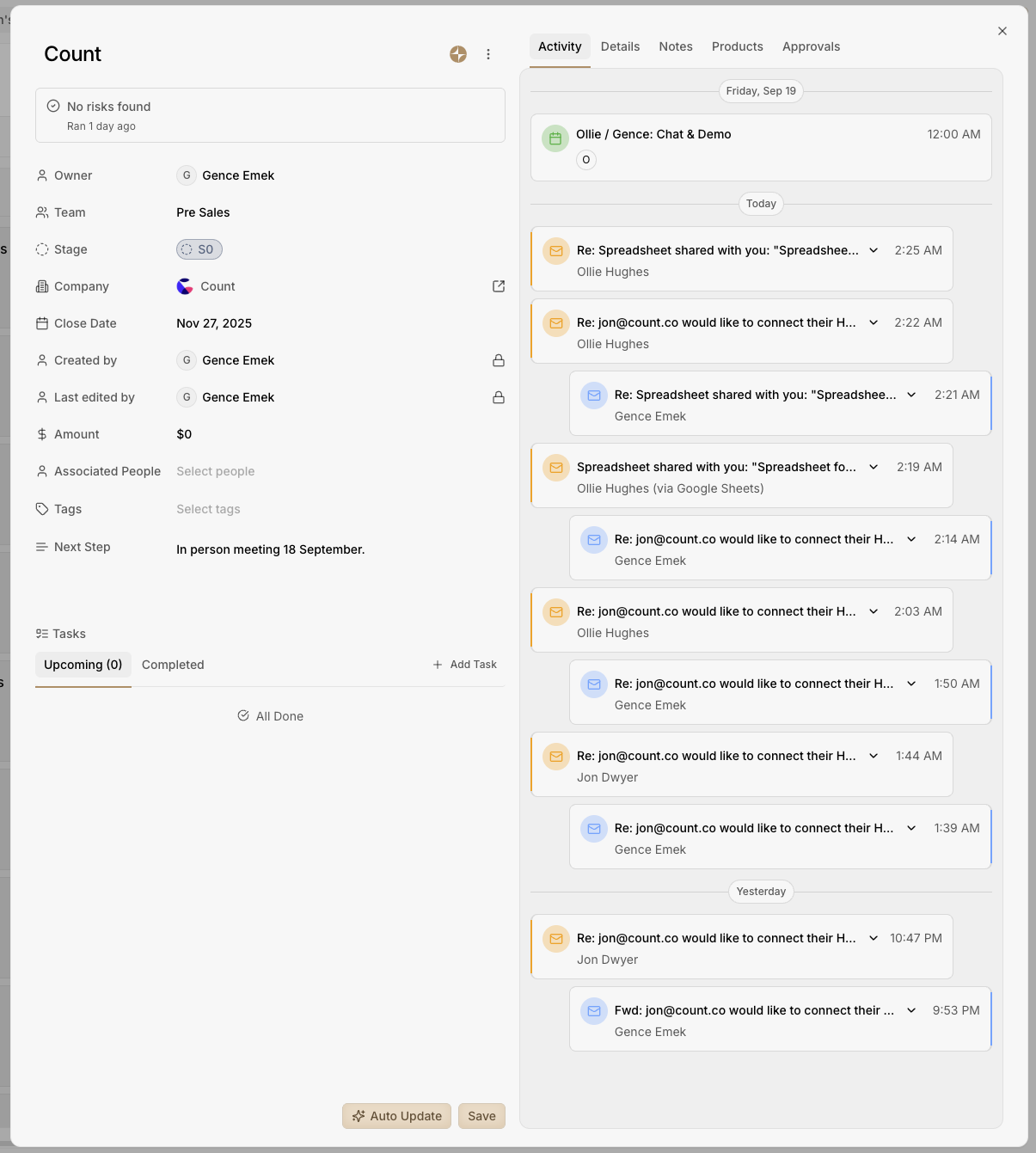
Connect your calendar and email to Rox and let our agent swarm do its magic! View all the activity (emails, meetings, call transcripts) related to an opportunity in the Activity tab and stay on top of an account

<figure><img src="https://2986926806-files.gitbook.io/~/files/v0/b/gitbook-x-prod.appspot.com/o/spaces%2FUBzWA2LkfjbdaffIaGlN%2Fuploads%2FZnOFQ9ENOZkvtulHjSFD%2FScreenshot%202025-09-16%20at%202.11.40%E2%80%AFPM.png?alt=media&#x26;token=b8033f7c-4387-49f4-b9c2-af2cf1c6f5c0" alt=""><figcaption></figcaption></figure>

### Store and organise your notes

Capture your notes and organise them in folders. The Rox Agent Swarm will use your notes as context and help you figure out next steps, risks, and more!

<figure><img src="https://2986926806-files.gitbook.io/~/files/v0/b/gitbook-x-prod.appspot.com/o/spaces%2FUBzWA2LkfjbdaffIaGlN%2Fuploads%2FfhXPBraMGScdXoaJH72L%2FScreenshot%202025-09-16%20at%202.12.25%E2%80%AFPM.png?alt=media&#x26;token=6c77b270-522b-4fb9-8feb-410a0bac26ed" alt=""><figcaption></figcaption></figure>

### Assign tasks to stay on top of things

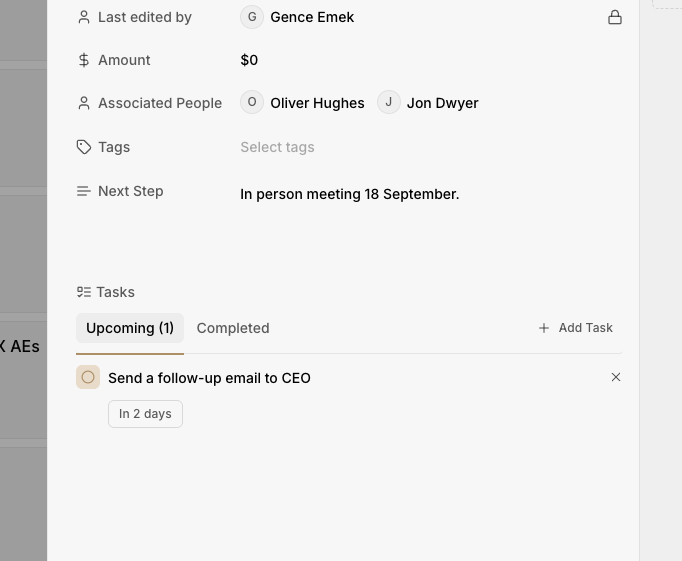
Managers can create and assign tasks to sellers to ensure no opportunity to grow the revenue slips by.

<figure><img src="https://2986926806-files.gitbook.io/~/files/v0/b/gitbook-x-prod.appspot.com/o/spaces%2FUBzWA2LkfjbdaffIaGlN%2Fuploads%2FZaI3dey6sJW9yr90SD3r%2FScreenshot%202025-09-16%20at%202.15.23%E2%80%AFPM.png?alt=media&#x26;token=626367ab-e076-4965-8db1-998d85968955" alt="" width="341"><figcaption></figcaption></figure>

### Let your agent fill you in

Sellers can jump to **Command** from directly within an opportunity and use the Agent to fill them in about the latest updates, get help drafting an email, identify risks, etc.&#x20;

<figure><img src="https://2986926806-files.gitbook.io/~/files/v0/b/gitbook-x-prod.appspot.com/o/spaces%2FUBzWA2LkfjbdaffIaGlN%2Fuploads%2F3EgaVn6j5z2jOKksBkc3%2FScreenshot%202025-09-16%20at%202.16.41%E2%80%AFPM.png?alt=media&#x26;token=8f4de86f-9ed0-4b4d-9843-ba67dd7e61d5" alt=""><figcaption></figcaption></figure>

<figure><img src="https://2986926806-files.gitbook.io/~/files/v0/b/gitbook-x-prod.appspot.com/o/spaces%2FUBzWA2LkfjbdaffIaGlN%2Fuploads%2FsoSI3vlefAWRfZaPV1to%2FScreenshot%202025-09-16%20at%202.16.52%E2%80%AFPM.png?alt=media&#x26;token=75da65bb-220e-468b-b344-0819227c99b1" alt=""><figcaption></figcaption></figure>